How to Maintain and Clean Optical Windows Properly?
5 min readIntroduction
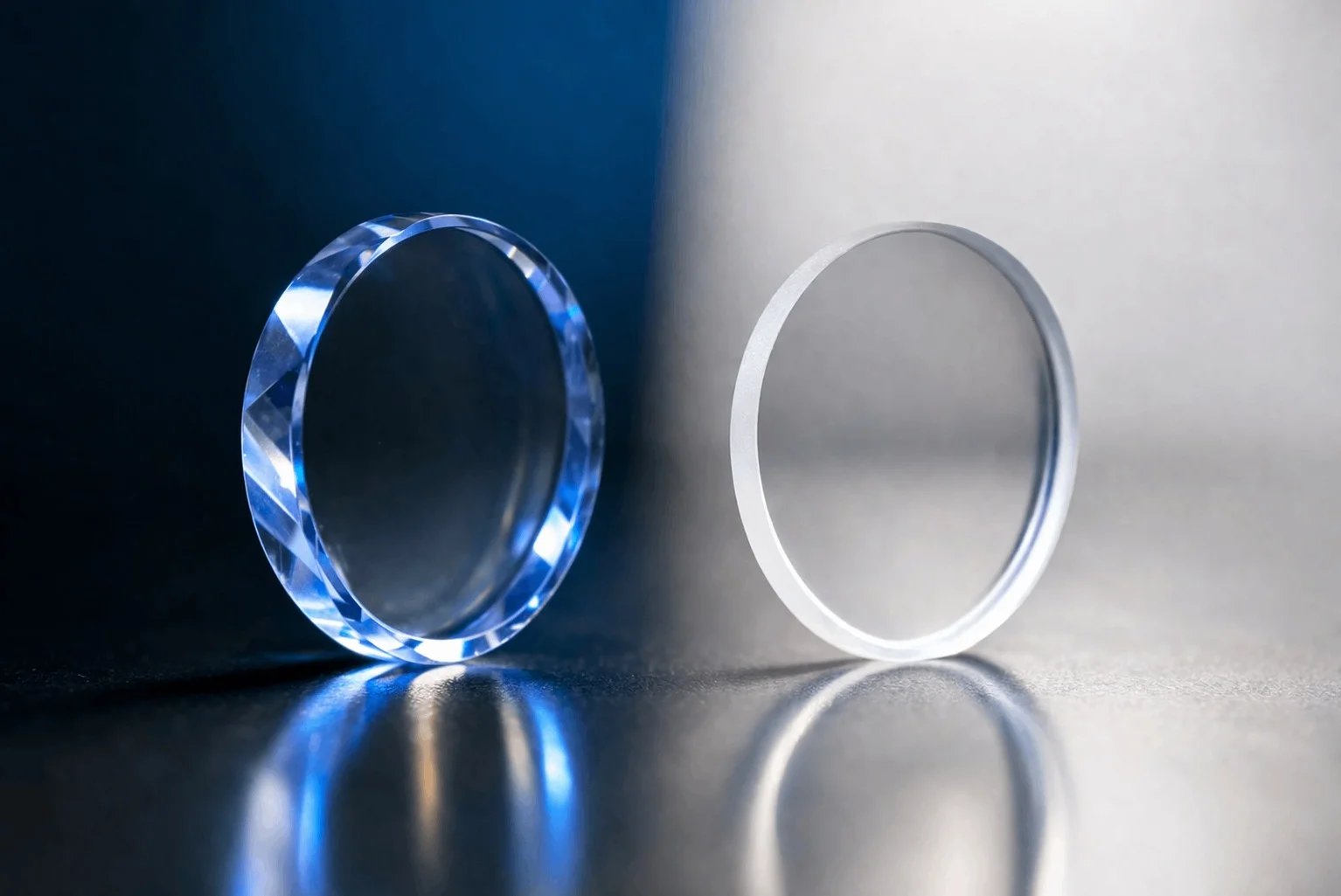
Optical windows are critical components in modern optical, laser, imaging, and infrared systems. They serve as protective barriers that allow light to pass through with minimal distortion while shielding sensitive internal components from dust, moisture, chemicals, and mechanical damage. Because they are often used in high-precision environments such as medical devices, aerospace instruments, laser systems, and scientific research equipment, even minor contamination or surface damage can significantly impact system performance.
However, optical windows are also delicate. Their surfaces are often coated with anti-reflective (AR) layers or precision-polished to achieve high transmittance and low scattering. This makes proper cleaning and maintenance essential—not just for performance, but also for extending service life and reducing replacement costs.
This article provides a comprehensive guide on how to maintain and clean optical windows properly, covering handling precautions, cleaning methods, environmental control, storage practices, and common mistakes to avoid.
Understanding the Sensitivity of Optical Windows
Before discussing cleaning methods, it is important to understand why optical windows require special care.
Optical windows are typically made from materials such as:
-
Fused silica
-
BK7 optical glass
-
Sapphire
-
Zinc selenide (ZnSe)
-
Germanium
-
Silicon
Each material has different hardness, thermal properties, and chemical resistance. For example, sapphire is extremely hard and scratch-resistant, while ZnSe is much softer and more sensitive to mechanical abrasion.
Most optical windows also feature coatings such as:
-
Anti-reflective (AR) coatings
-
High-reflective coatings (in some cases)
-
Hydrophobic or protective coatings
These coatings are extremely thin—often only a few nanometers to micrometers thick—and can be easily damaged by improper cleaning techniques.
Even microscopic contamination such as:
-
Dust particles
-
Fingerprints
-
Oil residues
-
Moisture spots
can degrade optical performance by increasing scattering, reducing transmission efficiency, or causing localized heating in laser applications.
Handling Best Practices Before Cleaning
Proper maintenance begins before cleaning even becomes necessary. Most damage to optical windows occurs during handling rather than during operation.
1. Always Use Gloves or Finger Cots
Never touch optical surfaces directly with bare hands. Skin oils, sweat, and debris can easily contaminate the surface. Use:
-
Powder-free nitrile gloves
-
Finger cots for high-precision work
This reduces contamination risk and prevents fingerprint stains that are difficult to remove.
2. Handle by Edges Only
Always hold optical windows by their edges. Avoid touching the center aperture or coated surface.
For larger windows, use vacuum tweezers or optical holders designed specifically for fragile components.
3. Work in a Clean Environment
Whenever possible, perform handling and cleaning in:
-
Cleanroom environments (ISO Class 5–8)
-
Dust-free optical labs
-
Controlled humidity environments
Airborne particles are one of the main causes of contamination.
Recommended Cleaning Materials
Using the correct cleaning materials is just as important as technique. Improper materials can scratch or chemically damage the surface.
Approved Materials:
-
Optical-grade lens tissue
-
Lint-free microfiber cloth
-
High-purity isopropyl alcohol (IPA, ≥99.5%)
-
Acetone (for specific coatings only)
-
Deionized (DI) water
-
Air blower (oil-free)
Materials to Avoid:
-
Paper towels or facial tissue
-
Cotton swabs with loose fibers
-
Tap water (contains minerals and impurities)
-
Household cleaning solutions
-
Compressed air cans with propellant oil
Step-by-Step Cleaning Procedure
Step 1: Remove Loose Dust First
Before using any liquid, gently remove surface dust using:
-
An air blower
-
Clean dry nitrogen gas (preferred in labs)
Hold the optical window at an angle so dust falls away from the surface instead of resettling.
Never use high-pressure air directly at close range, as this may drive particles into the coating.
Step 2: Dry Contact Cleaning (If Needed)
If dust remains, use a dry optical-grade lens tissue:
-
Fold the tissue into a pad
-
Lightly drag it across the surface in one direction
-
Do not apply pressure or circular rubbing
This step should be minimized to avoid micro-scratches.
Step 3: Wet Cleaning Method
For fingerprints, oil, or smudges, wet cleaning is required.
Recommended method:
-
Moisten a lint-free wipe or lens tissue with IPA (not soaked)
-
Gently wipe the surface in a straight line motion
-
Use a second dry wipe immediately to remove residue
For stubborn contamination:
-
Use a mixture of IPA + DI water (50:50)
-
Or pure acetone for certain uncoated glass types
Always confirm coating compatibility before using acetone.
Step 4: Final Inspection
After cleaning:
-
Inspect under bright, angled light
-
Look for streaks, residue, or particles
-
Use magnification if necessary
Repeat cleaning only if needed. Over-cleaning can reduce coating lifespan.
Cleaning Optical Windows in Laser Systems
Optical windows used in laser systems require extra caution because contamination can lead to:
-
Laser-induced damage
-
Localized heating
-
Beam scattering and energy loss
For high-power laser systems:
-
Use only certified laser-grade cleaning solvents
-
Avoid any particulate contamination
-
Inspect before every operation cycle
-
Replace windows if coating damage is observed
Even microscopic defects can significantly affect beam quality in high-energy applications.
Environmental Maintenance Tips
Proper maintenance is not only about cleaning but also about preventing contamination.
1. Use Protective Covers
When optical windows are not in use, always store them in:
-
Protective plastic or foam cases
-
Anti-static containers
-
Dust-free storage cabinets
2. Control Humidity and Temperature
Extreme environmental conditions can cause:
-
Condensation on optical surfaces
-
Coating degradation
-
Thermal stress in materials
Ideal storage conditions:
-
Temperature: 20–25°C
-
Humidity: 30–50%
3. Avoid Chemical Exposure
Keep optical windows away from:
-
Acidic or alkaline vapors
-
Solvents and industrial fumes
-
Cleaning chemicals in nearby environments
Even indirect exposure can degrade coatings over time.
Common Mistakes to Avoid
Many optical window failures are caused by improper maintenance rather than manufacturing defects.
1. Wiping Dry Dust with Force
This causes micro-scratches that permanently reduce optical performance.
2. Using Household Cleaners
Non-lab-grade chemicals can destroy AR coatings.
3. Reusing Dirty Wipes
Reusing wipes redistributes contaminants instead of removing them.
4. Touching Optical Surfaces
Even brief contact can leave oil films that require aggressive cleaning.
5. Over-Cleaning
Excessive cleaning increases the risk of coating wear.
Maintenance Schedule Recommendations
For industrial or laboratory use, maintenance frequency depends on environment:
-
Cleanroom systems: Inspect weekly, clean only when necessary
-
Industrial environments: Inspect daily, clean as needed
-
Outdoor or harsh environments: Inspect before each use
Preventive maintenance is more effective than corrective cleaning.
Conclusion
Optical windows play a vital role in ensuring the performance and reliability of advanced optical systems. However, their precision surfaces and delicate coatings require careful handling and maintenance.
Proper cleaning involves more than just removing dirt—it requires understanding material properties, using correct solvents and tools, and following strict handling procedures. By implementing standardized cleaning methods, controlling the environment, and avoiding common mistakes, users can significantly extend the lifespan of optical windows while maintaining optimal optical performance.
In high-performance applications such as laser systems, medical devices, and infrared imaging, even small improvements in maintenance practices can translate into major gains in system stability and efficiency.
Ultimately, treating optical windows as precision components rather than simple glass parts is the key to long-term reliability and performance.
www.tolopoptics.com
tolopoptics
About Author
